What Is Two-Factor Authentication and How Does It Work?
Understanding the mechanics of two-factor authentication and how does it work is essential for anyone aiming to protect their digital life. At its core, this security layer moves beyond the simplicity of a single password by requiring two distinct forms of identification before granting access to an account.
By combining something you know with something you have, you create a much stronger barrier against unauthorized entry. This article explores the fundamental concepts of identity verification, the different methods available to users, and the practical steps you can take to secure your online presence effectively.
Defining the Core Concept
When you ask about two-factor authentication and how does it work, you are essentially looking at a process that adds a second lock to your digital front door. A standard login usually relies entirely on a password, which is a single factor of security.
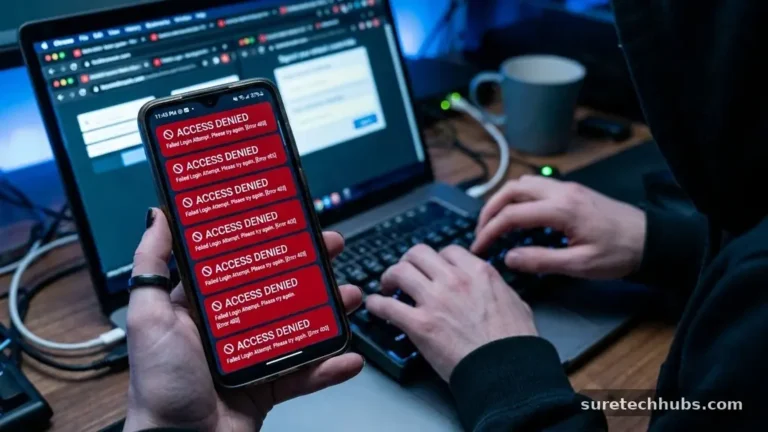
If a hacker manages to steal that password, they gain total control over your account. Two-factor authentication, or 2FA, introduces a secondary gatekeeper that checks for a second, independent piece of evidence.
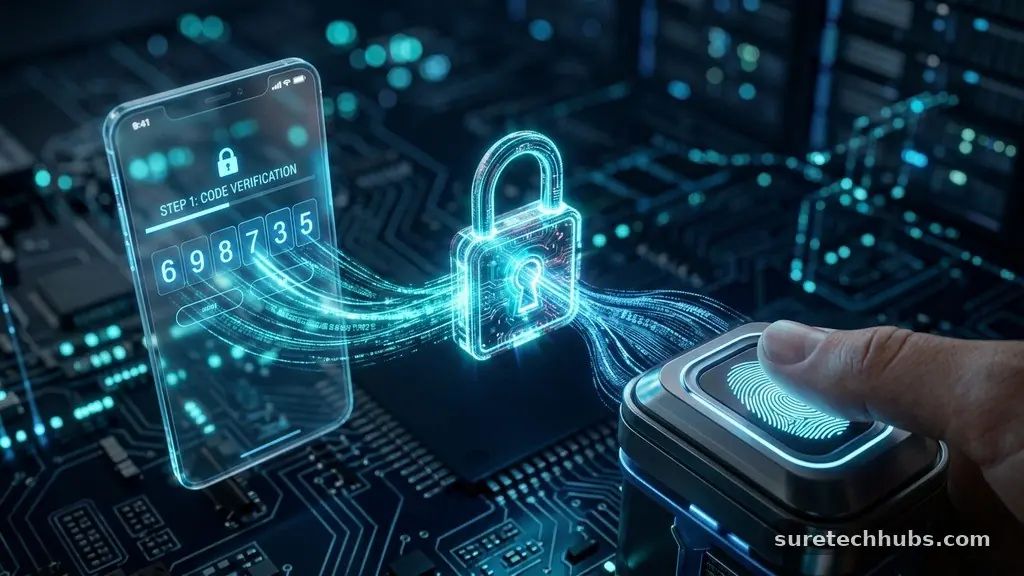
This second factor typically falls into one of three distinct categories. The most common category is “something you have,” such as a physical device or a mobile phone that can receive a code. Another category is “something you are,” which involves biometric markers like fingerprints or facial recognition.
The final category is “something you know,” which might be a PIN or a secret answer to a pre-established security question. By requiring two of these categories, the system ensures that even if one factor is compromised, the attacker remains locked out.
The Mechanics of Verification
The actual process of verification happens in a rapid, invisible sequence once you enter your primary credentials. After you type in your username and password, the server checks those against its database.
If the password matches, the system does not immediately grant access. Instead, it triggers a request for the second factor that you have previously configured for your account.
If you use an SMS-based method, the server sends a unique, time-sensitive code to your registered mobile number. You then enter this code into the login screen, and the server validates it against the expected value.
If you use an authenticator app, the process is slightly different but follows the same logic. The app generates a code locally based on a shared secret key and the current time, ensuring that the code is only valid for a window of thirty to sixty seconds.
Types of Authentication Factors
The variety of methods available means that security can be tailored to your specific hardware and preferences. Not all factors provide the same level of protection, so it is helpful to understand the trade-offs between them. Some methods are highly convenient but slightly less secure, while others offer maximum protection at the cost of some user friction.
- SMS Codes: These are sent via text message to your phone. While convenient, they are susceptible to SIM-swapping attacks where a hacker intercepts the message.
- Authenticator Apps: Applications like Google Authenticator or Authy generate codes offline. These are more secure than SMS because they don’t rely on cellular network vulnerabilities.
- Hardware Security Keys: Physical devices like YubiKeys plug into a USB port or connect via NFC. These are considered the gold standard because they are nearly impossible to hack remotely.
- Push Notifications: Apps send a prompt to your device asking you to “Approve” or “Deny” a login attempt. This is quick and prevents the need to type in codes manually.
Comparing Authentication Security
Different methods provide varying levels of resilience against sophisticated cyber threats. The following table illustrates how these common methods stack up when considering their primary security profile and user experience.
| Method | Security Level | Convenience | Hardware Required |
|---|---|---|---|
| SMS / Text Message | Low | High | Mobile Phone |
| Email Code | Low | Medium | Email Access |
| Authenticator App | Medium-High | Medium | Smartphone |
| Hardware Security Key | Very High | Medium | USB/NFC Device |
Addressing Common Security Risks
A frequent question is whether two-factor authentication is truly foolproof. While it significantly reduces the likelihood of unauthorized account access, it is not a magical shield against every possible threat.
Sophisticated phishing attacks can sometimes trick a user into handing over both their password and their second-factor code. This is why it is vital to check the URL of the login page before entering any sensitive information.
Another risk involves the recovery process for your account. If you lose the device that generates your authentication codes, you could be locked out of your own account permanently.
Most services provide “backup codes” or “recovery keys” during the initial setup phase. You must store these in a safe, physical location, such as a fireproof safe or a secure document folder, to ensure you can regain access if your primary device fails.
Why You Need This Extra Layer
The primary reason to adopt 2FA is that passwords are no longer enough in the modern digital landscape. Databases are breached frequently, and millions of passwords are leaked online every year. If you reuse the same password across multiple sites, a breach on one minor platform could give an attacker the key to your email, banking, and social media accounts.
By enabling 2FA on every account that supports it, you effectively contain the damage of a potential password leak. Even if a bad actor manages to obtain your credentials from a dark web dump, they will still encounter the secondary challenge.
Most automated attacks rely on speed and low effort; when they hit a 2FA wall, they usually move on to an easier target. You can find more detailed information on digital safety practices through the Cybersecurity and Infrastructure Security Agency’s guidance on authentication.
Common Questions About 2FA
Do I really need two-factor authentication for every account?
You should prioritize high-value accounts first, such as your email provider, banking apps, and social media profiles. If your email is compromised, an attacker can often reset the passwords for all your other services. Enabling 2FA on these critical accounts creates a bottleneck that protects your entire digital identity.
Does two-factor authentication cost money to use?
Most major platforms offer 2FA as a free security feature. While some advanced hardware keys require a one-time purchase price, mobile apps and SMS-based verification are typically included in the service at no extra charge. The cost is almost always time and effort rather than currency.
What are the biggest drawbacks of 2FA?
The main drawback is the slight inconvenience of needing a second device or step to log in. There is also the potential for frustration if you lose your phone or delete your authentication app without backing up your recovery codes. However, these minor hurdles are insignificant compared to the damage caused by a full account takeover.
Can I still get hacked if I have 2FA enabled?
Yes, it is possible, though much more difficult. Advanced techniques like “man-in-the-middle” phishing or session hijacking can sometimes bypass standard 2FA. Using hardware-based security keys instead of SMS codes makes these types of attacks significantly harder to execute successfully.
The Evolution of Digital Identity
The future of authentication is moving toward passwordless systems that rely on the device itself to verify your identity. Technologies like FIDO2 and passkeys are designed to replace the traditional password entirely with cryptographic keys stored on your device. When you use these methods, you are essentially using a form of 2FA that is built directly into the hardware, making the login process both faster and more secure.
As we look ahead, the reliance on human-memorized strings of text will likely continue to diminish. Instead, the focus will shift toward seamless, device-bound authentication that links your identity to a specific, verified piece of hardware.
Until these systems are universal, however, manually enabling 2FA on your accounts remains the most effective way to safeguard your information. Taking the time to configure these settings now will save you from the stress of a compromised account later.
Learning about two-factor authentication and how does it work is one of the most productive steps you can take for your digital hygiene. It transforms your security from a single point of failure into a multi-layered defense system. By choosing strong methods like authenticator apps or hardware keys and keeping your recovery codes safe, you significantly raise the bar for anyone trying to access your personal data.
Start by enabling 2FA on your primary email and banking accounts today, and you will immediately see the difference in your peace of mind. Protecting your accounts is an ongoing process, but with these tools, you are well-equipped to handle the challenges of the modern web.