Beginner’s Guide to Password Managers and Secure Logins
Navigating digital security often feels overwhelming, but a reliable beginner’s guide to password managers and secure logins can simplify the entire process. Protecting your online identity doesn’t require a degree in computer science; it simply requires the right tools to manage your digital life.
By centralizing your credentials, you gain peace of mind and significantly reduce the risk of account compromise. This article explores how these tools function and how you can start securing your accounts today.
What is a password manager and how does it work?
A password manager is a specialized software application that stores your login credentials in an encrypted digital vault. Instead of memorizing dozens of complex strings, you only need to recall one single secret: your master password.
Once you log into the software, it automatically fills in your usernames and passwords whenever you visit a website or app. This eliminates the dangerous habit of reusing the same password across multiple platforms.
These tools function by using advanced encryption standards to scramble your data, making it unreadable to anyone without your master key. Even the developers of the software cannot see your actual credentials because the decryption happens locally on your device.
Most modern versions integrate directly into your web browser or mobile operating system to provide a fluid experience. When you create a new account, the manager suggests a long, randomized string of characters that is nearly impossible for hackers to guess.
Why you should stop reusing passwords
Password reuse is the most common vulnerability found in personal digital security. If a hacker successfully breaches a minor website where you have an account, they immediately test that same email and password combination on high-value targets like your bank or email provider.
This technique, known as credential stuffing, relies entirely on the assumption that users repeat their credentials. By using a unique, complex password for every single service, you effectively break this chain of vulnerability.
The human brain is not wired to remember fifty different twenty-character strings. When forced to create unique codes, most people resort to predictable patterns like adding a number or symbol to a common word. These patterns are easily cracked by automated software in seconds.
A dedicated tool manages the complexity for you, ensuring that every entry is unique, long, and randomized. This shift in behavior is the single most effective step you can take to protect your digital property.
Key features to look for in a manager
When selecting your first tool, prioritize options that offer cross-platform synchronization. You want your credentials to be available whether you are working on a laptop, checking email on a tablet, or browsing on your smartphone.
Some services offer a free tier that is perfectly adequate for most users, while others require a subscription for advanced features like secure file storage or emergency access. Look for a clean, intuitive interface that makes adding and editing entries straightforward.
Another essential feature is the built-in password generator. This tool creates high-entropy strings that include a mix of uppercase letters, lowercase letters, numbers, and symbols. Good software will also provide a security dashboard that alerts you if any of your stored credentials have appeared in known data breaches.
This proactive monitoring allows you to change compromised passwords before they can be exploited by malicious actors. Ensure the service supports multi-factor authentication, which adds an extra layer of protection to your vault itself.
Comparing common security tools
Choosing the right service depends on your specific needs regarding cost, ease of use, and device compatibility. Some users prefer tools integrated into their operating system, while others prefer standalone applications that offer more granular control. The following table highlights common categories of management tools to help you decide which path aligns with your requirements.
| Category | Primary Benefit | Best For |
|---|---|---|
| Browser-based | Zero setup time | Casual users on one device |
| Standalone Apps | High-level encryption | Users across multiple platforms |
| Open-source | Transparency | Privacy-conscious enthusiasts |
How to set up your master password
Your master password is the foundation of your entire security strategy. It must be strong enough to resist brute-force attacks but memorable enough that you won’t need to write it down.
Experts often recommend creating a passphrase rather than a single word. A series of four or five random, unrelated words is often easier to remember and significantly harder for a computer to guess than a complex word with substituted symbols.
Avoid using personal information like birthdays, pet names, or street addresses in your passphrase. These details are often public or easily discoverable by anyone targeting you.
Once you have chosen your master password, ensure you keep it safe by memorizing it or storing it in a physical location that only you can access. Never share this password with anyone, including support staff from the software provider, as they will never ask for it.
Best practices for managing your digital vault
Once your manager is operational, you should take the time to audit your existing accounts. Start by updating your most important logins, such as your primary email, banking portals, and social media profiles.
Use the built-in generator to replace weak, recycled codes with new, unique ones. You do not need to do this all at once; even updating five accounts a day will drastically improve your posture over the course of a month.
Regular maintenance tips
- Enable multi-factor authentication on every account that supports it.
- Periodically check your security dashboard for alerts regarding compromised sites.
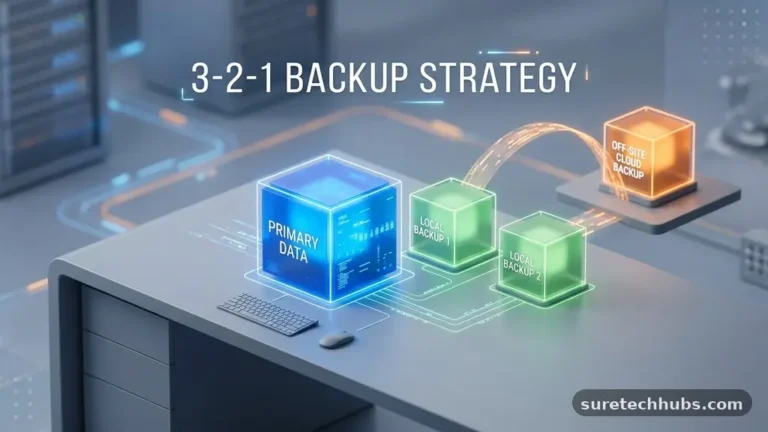
- Back up your vault to an offline location if the service allows it.
- Remove old accounts you no longer use to minimize your digital footprint.
- Update your software regularly to ensure you have the latest security patches.
Consistent maintenance is the secret to long-term success. If you receive a notification that a specific website has suffered a breach, your manager makes the remediation process fast and simple.
You can simply log into that site, generate a new password, and save it in seconds. This speed encourages you to keep your security habits current rather than ignoring potential threats due to the inconvenience of manual updates.
Understanding the role of multi-factor authentication
While a manager secures your stored credentials, multi-factor authentication, or MFA, acts as a secondary gatekeeper. Even if someone manages to steal your master password, MFA prevents them from accessing your account without a second form of verification.
This verification usually takes the form of a code sent to your phone, a physical security key, or an authentication app. Combining a strong, unique password with a second factor creates a defense that is extremely difficult to bypass.
You can learn more about these standards through the National Institute of Standards and Technology, which provides comprehensive guidance on digital identity. Most modern password managers now include a built-in authenticator tool to handle these temporary codes.
This removes the need for multiple different apps, keeping your second-factor codes inside the same encrypted vault as your passwords. This integration provides both high security and a convenient user experience for your daily logins.
FAQ: Common questions for new users
Is it safe to store all my passwords in one place?
Yes, it is much safer than relying on your memory or writing them down on paper. Because the data in a reputable manager is encrypted locally, even if the service provider were compromised, your individual vault would remain locked behind your master password.
What happens if I forget my master password?
Most services provide a recovery key or a set of backup codes when you first create your account. It is vital to store these in a safe, physical place, as they are often the only way to regain access if you lose your master password.
Are free versions of these tools reliable?
Many reputable companies offer excellent free tiers that provide all the essential features for an individual user. While paid versions often include extras like family sharing or increased storage, a basic free account is usually sufficient for most beginners.
Can I use my browser’s built-in manager instead?
While browsers have improved their security, a dedicated third-party manager often provides better cross-platform support and more advanced security auditing tools. If you use multiple browsers or devices, a dedicated manager is generally the superior choice for consistency.
Which is the easiest tool for someone not tech-savvy?
Tools like Dashlane are often praised for their user-friendly interfaces and automated features. The best approach is to try a few free versions to see which interface feels most intuitive for your specific workflow.
Conclusion
Taking control of your digital identity is a rewarding process that pays dividends in safety and convenience. By implementing the strategies found in this beginner’s guide to password managers and secure logins, you have already moved ahead of the vast majority of internet users.
Remember that security is a continuous practice rather than a one-time project. Start small by securing your most important accounts, then gradually expand your reach until your entire digital life is protected.
Do not be discouraged if the transition feels like a change of pace at first. Once the habit of using a vault is established, you will find it impossible to go back to the stress of manual credential management.
If you have questions about specific tools or run into technical hurdles, look for official support documentation to guide your next steps. You are well on your way to a more secure and organized digital future.