How to Protect Your Personal Data on Public Wi-Fi
Effectively protecting your personal data on public Wi-Fi is a critical skill for anyone relying on coffee shop or airport internet to stay connected. Public networks often lack the security protocols necessary to keep your private activity shielded from bad actors lurking on the same connection.
By implementing a few straightforward technical habits, you can significantly lower your risk of identity theft and credential interception. This article breaks down the essential steps to ensure your digital footprint remains secure, even when you are working from a busy, shared environment that might otherwise expose your sensitive information to prying eyes.
The Primary Risks of Open Networks
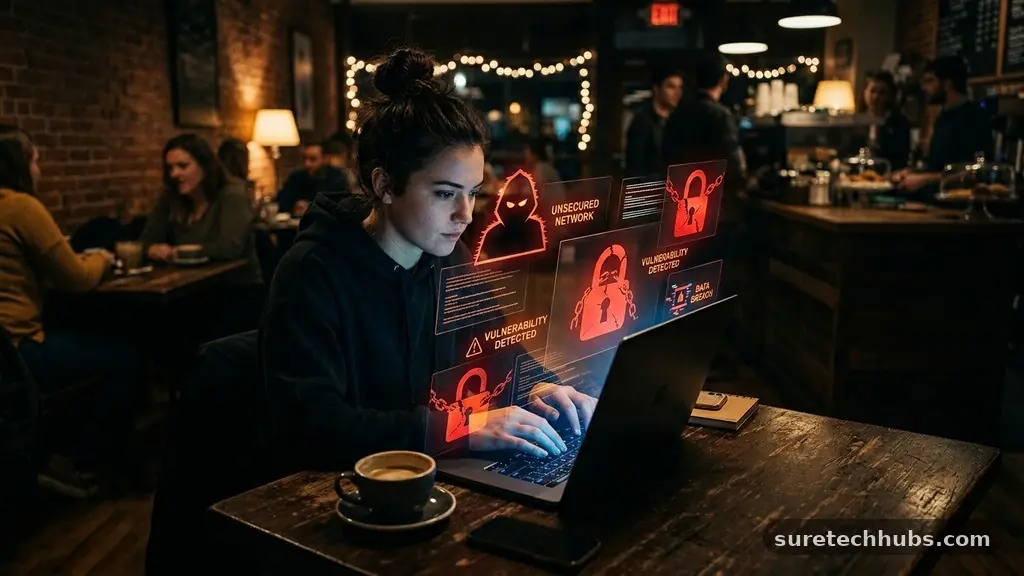
The most immediate danger when you connect to a public Wi-Fi network is the lack of encryption between your device and the router. On a standard, unsecured network, data travels in a way that can be intercepted by anyone with basic software tools. This is often referred to as a “man-in-the-middle” attack.
In this scenario, an attacker positions themselves between your computer and the connection point. They can then capture everything you send, including login credentials, private emails, and even financial details.
Another major threat involves rogue access points that mimic legitimate network names. You might think you are connecting to the “CoffeeShop_Free_Wifi” you see on the wall, but you are actually joining a network created by a hacker sitting nearby.
Once you connect, they have a direct window into your traffic. Because you are the one who initiated the connection, your device may trust the rogue point, making it difficult to detect the intrusion until it is too late.
Use a VPN for Total Encryption
The most effective way to ensure you are protecting your personal data on public Wi-Fi is by using a Virtual Private Network, or VPN. A VPN creates an encrypted “tunnel” for your internet traffic, meaning that even if someone manages to intercept your data, they will only see scrambled, unreadable code. Your real IP address remains hidden, and your browsing activity stays private from the network administrator or local snoopers.
When selecting a VPN, avoid free services that might log your activity or sell your data to third parties to cover their costs. Instead, look for reputable providers that follow a strict no-logs policy and offer robust encryption standards.
Most modern VPN apps are simple to use; you just open the application, click a button to connect, and your entire device’s traffic is secured. It is a small investment that provides a massive boost to your overall digital safety.
Disable Automated Sharing Features
Modern operating systems are designed for convenience, often featuring settings that allow your computer to be easily discovered by other devices on a local network. While this is helpful at home or in an office, it is a significant liability in public spaces. If your device is set to “discoverable,” you are essentially broadcasting your presence to every other person on that network.
To tighten your security, go into your network or sharing settings and turn off file sharing, printer sharing, and discovery modes. On Windows, you can typically set your network profile to “Public” rather than “Private,” which automatically restricts these sharing features. On macOS, navigate to System Settings and ensure that features like AirDrop and file sharing are restricted or turned off while you are away from your trusted home or office environment.
Stick to HTTPS Websites
Whenever you are browsing the web, look for the padlock icon in your browser’s address bar. This indicates that the website you are using is employing HTTPS encryption, which provides a layer of security between your browser and the server. Even if you are not using a VPN, HTTPS prevents local attackers from seeing the specific content of the pages you are visiting.
However, be aware that HTTPS does not hide the fact that you are visiting a particular website. It only encrypts the data being exchanged, such as your password or credit card number.
If you are handling highly sensitive information, such as banking or medical records, you should avoid doing so entirely on public connections. The Electronic Frontier Foundation provides extensive resources on why encryption is a fundamental requirement for modern internet safety.
Manage Your Wi-Fi Settings
Your device is often configured to automatically scan for and join known networks. While this keeps you connected, it also means your phone or laptop might attempt to join a malicious network that shares a name with a network you have used in the past. To prevent this, go into your Wi-Fi settings and toggle off the “Auto-Join” feature for public networks.
It is also a good habit to manually “forget” networks once you are finished using them. By removing the network from your device’s memory, you ensure that you are making a conscious choice to connect the next time you visit that location. This prevents your device from broadcasting its history of connections, which can sometimes be used to track your movements or identify your home and work network patterns.
Comparison of Security Measures
Implementing multiple layers of security creates a robust defense against common network threats. Relying on a single method often leaves gaps that an attacker can exploit. The following table illustrates how different actions provide varying levels of protection for your data.
| Security Measure | Primary Benefit | Complexity Level |
|---|---|---|
| VPN Usage | Encrypts all outgoing and incoming traffic | Low |
| HTTPS Browsing | Encrypts site-specific data communication | Minimal (Automatic) |
| Disable Sharing | Prevents local device discovery | Low |
| Two-Factor Auth | Protects accounts even if passwords leak | Medium |
Essential Security Checklist
To keep your digital life organized, follow this simple checklist every time you connect to a network outside your home. Staying consistent is more important than having the most expensive software.
- Always turn on your VPN before opening a browser or email client.
- Ensure your firewall is active in your device’s security settings.
- Use multi-factor authentication (MFA) on all your primary accounts.
- Keep your operating system and browser updated to the latest versions.
- Avoid accessing banking or sensitive financial portals on shared Wi-Fi.
- Switch your phone to cellular data if you need to perform high-risk tasks.
Frequently Asked Questions
Can someone access my phone on public Wi-Fi?
Yes, if your device is configured to allow file sharing or discovery. If an attacker is on the same network, they can attempt to probe your device for vulnerabilities. Disabling sharing settings makes your phone significantly harder to find and target.
Is it safe to use my bank app on public Wi-Fi?
It is generally not recommended to perform financial transactions on public networks. Even with encryption, there is always a residual risk. It is much safer to switch to your cellular data connection for banking and sensitive account management.
What is the most important step for safety?
Using a high-quality VPN is the single most effective action you can take. It masks your activity from the network owner and anyone else monitoring the connection. It acts as a necessary shield for your personal data.
Do I need to worry about Wi-Fi at hotels?
Yes, hotel networks are public networks. They are often less secure than private home networks and are common targets for hackers. Treat hotel Wi-Fi with the same caution you would use at an airport or coffee shop.
How do I know if a network is fake?
It is often impossible to tell just by looking at the name. Always verify the network name with the staff at the venue. If you see two networks with similar names, be suspicious and ask which one is the official guest network.
Conclusion
Protecting your personal data on public Wi-Fi is not about living in fear, but about adopting smart habits that secure your digital presence. By using a VPN, keeping your software updated, and being mindful of your sharing settings, you can enjoy the convenience of connectivity without compromising your privacy. These steps work together to create a safer experience, ensuring your personal information stays yours.
Start by reviewing your device settings today and making these practices a regular part of your routine. Taking control of your digital security today prevents headaches tomorrow, and you will find that these small adjustments quickly become second nature as you move through your day.