What Is Two-Factor Authentication Fatigue and How Can You Avoid It?
Understanding what is two-factor authentication fatigue and how can you avoid it is essential for anyone managing digital security in an era of constant connectivity. When users receive dozens of login prompts daily, they often stop scrutinizing them, inadvertently letting attackers slip through the cracks. This phenomenon, known as MFA fatigue, turns a protective measure into a potential vulnerability.
By learning to recognize these patterns and adjusting your settings, you can protect your accounts without sacrificing convenience or safety. This article explores the mechanics behind these attacks and provides actionable strategies to keep your digital identity secure while minimizing the daily friction of authentication.
Defining the Mechanics of MFA Fatigue
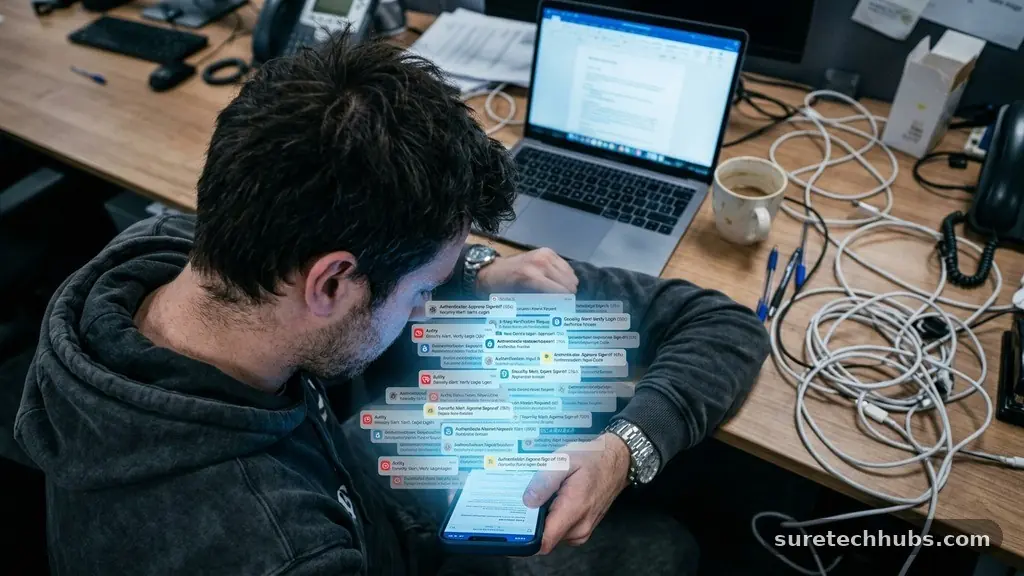
MFA fatigue occurs when a malicious actor bombards a user with repeated push notification requests to access an account. The attacker already possesses the victim’s correct username and password, but they are blocked by the second layer of security.
By sending a high volume of prompts in rapid succession, the attacker hopes the user will eventually click “approve” out of sheer annoyance or confusion. This is not a failure of the technology itself, but rather a manipulation of human behavior.
When a person is busy, tired, or distracted, they are far more likely to tap a button just to make the notification disappear. The attacker counts on this psychological pressure to bypass the security wall.
Once the user approves the prompt, the attacker gains full access to the account, effectively neutralizing the protection that two-factor authentication was designed to provide. This is why security experts often refer to these as push-based social engineering attacks.
The effectiveness of this technique relies heavily on the timing of the notifications. Attackers frequently launch these campaigns during late-night hours or early mornings when the user is likely to be groggy and less alert.
By making the phone buzz repeatedly, they create a sense of urgency that overrides the user’s critical thinking. If you receive a notification you didn’t initiate, the most important rule is to reject it immediately and investigate the source of the attempt.
Why Standard Push Notifications Are Vulnerable
Traditional push notifications are designed for speed, which is precisely why they are susceptible to exploitation. Most apps allow a simple “Approve” or “Deny” choice that appears directly on the lock screen.
This design minimizes the number of steps required for a legitimate user to log in, but it also allows an attacker to trigger that same prompt from anywhere in the world. Because the notification doesn’t require the user to open the app or enter a code, it becomes an easy target for spamming.
Many modern authentication systems, such as Duo Security, have introduced features to mitigate this risk, but the underlying architecture remains a point of concern. When users rely solely on push notifications, they remove the “something you know” or “something you have” aspect that makes MFA strong.
They turn authentication into a game of reflex rather than a deliberate security check. This shift is dangerous because it removes the cognitive barrier that should exist between a user and their sensitive data.
The following table compares different authentication methods based on their susceptibility to various types of interference and fatigue.
| Authentication Method | Fatigue Susceptibility | Security Level |
|---|---|---|
| Push Notification | High | Moderate |
| Time-based One-Time Password (TOTP) | Low | High |
| FIDO2/WebAuthn Hardware Key | Very Low | |
| SMS/Text Message | Moderate |
Shifting Toward Number Matching
To combat the prevalence of these attacks, many service providers have moved toward a system called number matching. Instead of a simple approval button, the login screen displays a specific number that the user must type into their authentication app.
If an attacker triggers a prompt, the user will see a number on their screen that doesn’t correspond to any login attempt they are actively making. This forces the user to pause, look at the screen, and verify the action, which effectively kills the effectiveness of a fatigue attack.
Number matching is a simple yet powerful deterrent because it requires the user to perform a manual, conscious action. It breaks the “reflex” response cycle that attackers rely on.
Even if a victim receives fifty notifications in a row, they cannot approve any of them without first seeing the correct number displayed on their computer or mobile device. This introduces a necessary delay that allows the user to realize something is wrong.
If your workplace or email provider offers the option to enable number matching, you should do so immediately. It is one of the most effective ways to upgrade your security posture without needing to purchase new hardware. By requiring a specific input, you ensure that every approval is an intentional, informed decision rather than a reactive tap on a screen.
The Role of Hardware Security Keys
Hardware security keys represent the gold standard for preventing unauthorized access. These physical devices, which plug into a USB port or connect via NFC, require a physical touch to authorize a login.
Because the key must be physically present and touched by the user, a remote attacker cannot trigger a successful login, regardless of how many notifications they send. This eliminates the possibility of MFA fatigue entirely.
These devices are particularly useful for high-value accounts, such as email, banking, or administrative portals. While they do represent an upfront cost, the peace of mind they provide is significant.
Many modern laptops and smartphones now include built-in biometric sensors that act as hardware authenticators, allowing you to use your fingerprint or face scan as a secure key. This makes the transition to hardware-backed security much easier than it was a few years ago.
Implementing a hardware-based approach means that you are no longer relying on a network-based notification system that can be flooded. You are moving to a model where the authentication is cryptographically bound to the device in your hand.
This is the most robust defense available today. It effectively removes the human element of “fatigue” because the hardware simply does not respond to remote, unauthorized prompts.
Recognizing the Signs of an Ongoing Attack
Identifying an attack in progress is the first step toward stopping it. A common indicator is the sudden arrival of multiple authentication prompts when you are not attempting to log in.
Some attackers will send one or two notifications to gauge your response, followed by a barrage if they sense you are active. Others may try to call you while the notifications are arriving, posing as IT support to “help” you resolve the issue by asking you to approve the prompt.
Never trust a phone call that arrives in conjunction with an unexpected login request. Legitimate IT departments will rarely call you to ask you to approve a push notification blindly.
If you receive a call, hang up and call your IT help desk back using a known, verified number. This prevents you from being manipulated by a social engineer who is using the fatigue attack as a cover for a phone-based scam.
You should also monitor your account activity logs regularly. If you notice successful logins from locations or devices you don’t recognize, you must treat your credentials as compromised. Change your password immediately and review your MFA settings to ensure that no secondary devices have been added to your account by an unauthorized person.
Best Practices for Personal Security
Managing your security effectively involves a combination of technical settings and behavioral changes. Start by auditing all your accounts to see which ones use SMS or push notifications as their primary MFA method.
Where possible, switch these to authenticator apps that support TOTP (Time-based One-Time Password) codes or, ideally, hardware keys. This reduces your reliance on services that are prone to spamming.
Develop a habit of only approving notifications when you are actively sitting at a computer or device performing a login. If you see a prompt while you are walking, driving, or away from your desk, ignore it until you are ready to log in. If the prompt persists, it is a clear sign that someone has your password and is trying to force their way into your account.
- Disable SMS-based authentication whenever a more secure alternative is available.
- Enable number matching on all enterprise and personal accounts that support it.
- Use a password manager to ensure each of your accounts has a unique, complex password.
- Review your registered devices list periodically to remove old or unused phones.
- Report suspicious activity to the service provider or your company’s security team immediately.
Taking these steps creates a layered defense that is difficult for attackers to penetrate. By reducing the noise of unnecessary notifications, you make it easier to spot genuine threats when they occur. Consistency is the key to maintaining a high level of protection over the long term.
Frequently Asked Questions
Can hackers get through two-factor authentication?
Yes, hackers can bypass standard MFA methods, particularly if those methods rely on push notifications or SMS. Techniques like fatigue attacks, SIM swapping, and phishing proxy sites are designed to trick users into providing the second factor. This is why it is important to use more secure methods like hardware keys or number matching.
Should I turn off two-factor authentication if I am being harassed?
No, you should never turn off your MFA. If you are being targeted by a fatigue attack, your password has likely already been compromised. Instead of turning off security, you should change your password immediately and contact your IT department or the service provider to report the ongoing attack.
What is the goal of an MFA fatigue attack?
The primary goal is to gain unauthorized access to an account. By overwhelming the user with notifications, the attacker hopes to trick them into hitting “approve.” Once the user grants access, the attacker can steal data, change account settings, or use the account to launch further attacks within an organization.
How can I tell if a prompt is legitimate?
A legitimate prompt will always be the result of an action you just took. If you are not actively trying to log in, any prompt you receive is likely an attack. Always verify the context of the login attempt, such as the location or the specific service being accessed, if your authenticator app provides that information.
Conclusion
Protecting your digital presence requires more than just turning on a setting; it requires an ongoing commitment to smart security habits. Understanding what is two-factor authentication fatigue and how can you avoid it allows you to stay one step ahead of attackers who rely on human error. By shifting toward more resilient authentication methods like hardware keys and number matching, you can significantly reduce the risk of unauthorized access.
Stay vigilant about unexpected notifications and always prioritize caution over convenience. If you suspect your accounts are being targeted, take immediate steps to secure your credentials and report the activity to the appropriate authorities.
Your proactive approach is the best defense against evolving digital threats. By staying informed and refining your security setup, you can enjoy the benefits of the internet while keeping your personal data safe from harm.