
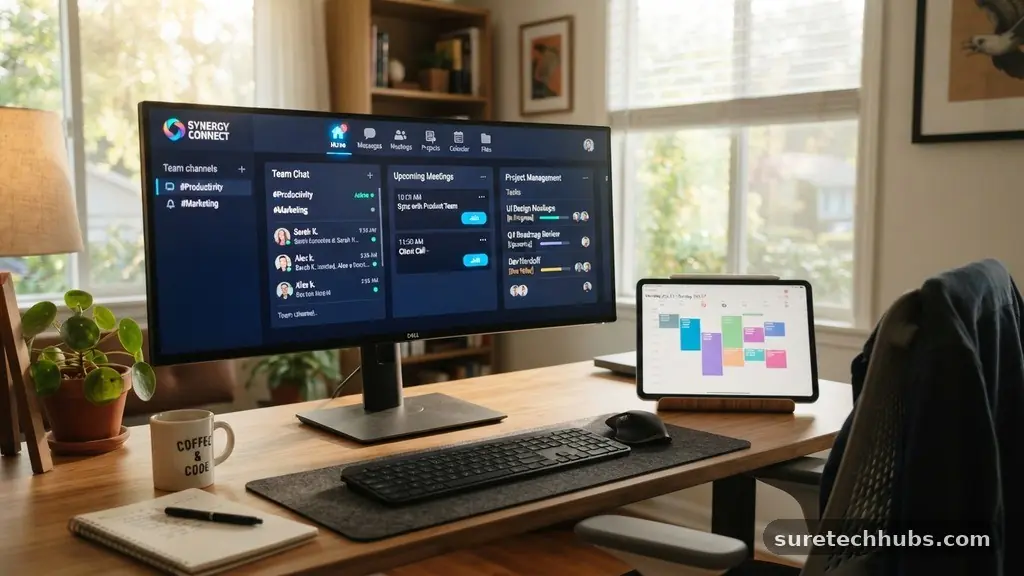
Understanding how technology can make remote work more efficient is essential for modern teams aiming to balance flexibility with output. By selecting the right digital infrastructure, businesses can transcend physical borders and ensure that every team member remains connected and focused. This article explores the specific software, hardware, and workflow strategies that turn a home office into a powerhouse of productivity.
You will learn how to audit your current stack, implement better communication protocols, and leverage automation to reclaim hours in your work week. Whether you are a solo freelancer or managing a distributed workforce, these insights will help you streamline operations and maintain high performance from anywhere.
Optimizing Communication Channels
Effective communication is the backbone of any distributed organization. Without the ability to tap a colleague on the shoulder, remote workers often struggle with delayed responses or fragmented information.
Relying solely on email for real-time problem solving is a common pitfall that slows down project momentum. Modern platforms like Slack or Microsoft Teams have revolutionized this by providing persistent chat environments that mimic office chatter without the constant interruptions.
When you use these tools, setting clear expectations for status updates is vital. For example, using “Do Not Disturb” modes or status indicators prevents the pressure of constant availability, which can actually harm productivity.
By separating synchronous communication from asynchronous updates, teams can protect their deep work time. This approach ensures that urgent matters get immediate attention while non-urgent requests wait for scheduled check-in times.
Video conferencing serves as the primary bridge for complex discussions that require nuance. While Zoom or Google Meet are standard, the efficiency lies in how you conduct these sessions.
Keeping meetings under 30 minutes and requiring an agenda beforehand prevents the “Zoom fatigue” that plagues many remote employees. A well-structured call often replaces five back-and-forth emails, making it a powerful tool when used intentionally.
Leveraging Cloud Infrastructure
The shift to the cloud is perhaps the most significant change in how technology can make remote work more efficient. Storing files on a local laptop creates bottlenecks and risks data loss if hardware fails.
Cloud-based storage services like Google Drive, Dropbox, or OneDrive ensure that every team member has access to the most recent version of a document. This eliminates the confusion of emailing attachments titled “final_v2_edit.docx” back and forth.
Collaboration features within these platforms allow multiple people to edit spreadsheets or documents simultaneously. This live interaction reduces the time spent waiting for feedback or merging changes from different sources.
You can also set granular permissions, ensuring that sensitive data remains secure while still being accessible to those who need it. This balance of security and accessibility is a cornerstone of modern remote operations.
Furthermore, cloud infrastructure supports scalability. As a team grows, you do not need to worry about purchasing expensive server hardware or managing physical storage.
Everything scales with your subscription, providing a consistent experience regardless of whether you have five employees or five hundred. This agility is a significant competitive advantage in fast-moving industries where speed of execution matters.
Task Management and Workflow Automation
Tracking progress without a physical office requires robust project management software. Tools like Asana, Trello, or Jira provide a visual representation of who is doing what and when tasks are due.
This transparency is crucial for remote workers who might otherwise feel isolated from the broader company goals. When everyone can see the project roadmap, the need for status-check meetings drops significantly.
Automation is the next step in maximizing efficiency. Many repetitive tasks, such as moving a card to a “Done” column or sending a notification when a task is finished, can be automated using integrations like Zapier.
These micro-savings in time add up over a week, allowing employees to focus on high-value creative work rather than administrative maintenance. Automating the mundane parts of the job is how technology can make remote work more efficient in the long term.
| Task Type | Manual Time Investment | Automated Time Investment |
|---|---|---|
| Project Status Emails | 15 minutes per day | 0 minutes |
| File Organization | 30 minutes per week | 5 minutes |
| Meeting Scheduling | 20 minutes per week | 2 minutes |
| Data Entry | 1 hour per week | 0 minutes |
Hardware Essentials for Remote Success
While software is critical, your physical setup determines your daily comfort and speed. A high-quality laptop is the central hub, but peripheral devices play a surprisingly large role in daily throughput.
A dual-monitor setup, for instance, has been shown to increase productivity by allowing users to reference data on one screen while drafting content on another. This reduces the time spent switching between tabs or apps.
Ergonomics should not be ignored when considering technology’s impact on efficiency. A chair that provides proper support and a keyboard that prevents strain are not just luxury items; they are tools for sustained performance.
If an employee is uncomfortable, their focus shifts from the work to their physical pain. Investing in a solid workstation setup is an investment in the longevity of your staff.
Connectivity remains the ultimate gatekeeper of remote productivity. A slow internet connection can derail an entire day of video calls and cloud syncing.
Investing in a mesh Wi-Fi system or a high-speed fiber connection ensures that your digital tools function without lag. According to data from the Pew Research Center regarding internet access, reliable connectivity is the primary factor in maintaining consistent work habits at home.
The Role of Cybersecurity
As teams move to decentralized environments, security becomes a major efficiency factor. A security breach or a lost laptop can lead to days of downtime while accounts are secured and data is recovered.
Implementing a password manager like 1Password or Bitwarden is a simple way to increase security while making life easier for employees. No one should be wasting time resetting passwords or using insecure, repetitive credentials.
Multi-factor authentication (MFA) is another non-negotiable layer. While it adds a few seconds to the login process, it prevents the massive productivity loss associated with account compromises.
Virtual Private Networks (VPNs) also allow team members to access internal company resources securely from public Wi-Fi networks in coffee shops or airports. By standardizing these security tools, the leadership team ensures that the remote workforce stays safe without needing constant oversight.
Regular training on phishing and social engineering is equally important. When employees understand the risks, they become the first line of defense.
This proactive approach to security allows the business to move quickly without the constant fear of digital threats. A secure system is a fast system because it avoids the interruptions caused by security incidents.
Managing Time and Focus
Technology can be a distraction, but it can also be a shield. Using focus-enhancing apps like Freedom or Cold Turkey allows workers to block distracting websites during deep work blocks.
These tools provide a structured way to manage attention in an environment where personal and professional lives often blur. By creating digital boundaries, employees can achieve a “flow state” more consistently.
Time-tracking software can also offer valuable insights into how your day is actually spent. Tools like Toggl or Harvest help identify where time is leaking, such as excessive meetings or administrative tasks that could be streamlined.
This data-driven approach allows individuals to optimize their own schedules. When you know where your time goes, you can make informed decisions about how to improve your daily output.
Some remote workers find success with the Pomodoro technique supported by timer apps. Breaking work into 25-minute sprints followed by short breaks keeps the mind fresh throughout the day.
This simple technological aid prevents burnout and maintains a high level of engagement. When technology supports your biological need for rest, it makes the overall work experience more sustainable.
Frequently Asked Questions
How can I reduce the number of meetings I attend?
You can reduce meeting volume by utilizing shared documents for status updates and using asynchronous video messaging tools like Loom. If a topic can be resolved in a text thread, move it out of the calendar. Only schedule meetings when complex decision-making or brainstorming is required.
What is the most important technology for remote work?
While it depends on the role, a high-speed, stable internet connection is the foundation for everything else. Without it, even the best collaboration tools will fail to perform. Beyond that, a cloud-based project management system is essential for maintaining team alignment.
How do I stop feeling isolated while working remotely?
Use your communication tools for social connection, not just work tasks. Create dedicated channels for non-work chatter, such as hobbies or pets, to mimic water-cooler conversations. Scheduling regular virtual coffee chats can also help maintain personal bonds within the team.
Is it necessary to use a VPN for all remote work?
A VPN is highly recommended if you are accessing sensitive company data or working from public Wi-Fi networks. It encrypts your traffic and keeps your connection secure from prying eyes. Many companies now mandate VPN usage as part of their standard security policy for remote employees.
How can I keep my personal and work life separate?
Use separate user profiles on your computer to keep work apps and browser history distinct from your personal life. If possible, have a dedicated physical space for work that you “leave” at the end of the day. Turning off notifications for work apps during off-hours is also critical for mental recovery.
Final Thoughts
Mastering how technology can make remote work more efficient is an ongoing process of refinement. It is not about using every new app that hits the market, but about choosing the right tools that solve specific problems for your unique team. By prioritizing reliable connectivity, secure cloud storage, and clear communication habits, you create a system that allows people to thrive.
When the friction of the digital environment is removed, the focus shifts back to the work itself. Start by auditing your current stack and identifying one area where automation or better tools could save your team time. Embrace these changes, and you will find that a distributed team can be just as productive, if not more so, than one confined to a traditional office.