What Is a VPN and When Should You Use One?
Understanding a VPN and when should you use one is essential for anyone spending time online today. At its core, a virtual private network creates a secure, encrypted tunnel for your internet activity, shielding your data from prying eyes. Whether you are working from a local cafe or simply want to browse with more anonymity, these tools offer a practical layer of protection.
By masking your actual IP address and routing your traffic through a remote server, you gain control over your digital footprint. This article explains how these services function and identifies the specific situations where employing one significantly improves your personal security and digital freedom.
How Virtual Private Networks Function
A virtual private network, or VPN, operates by establishing a secure connection between your device and a server managed by the service provider. When you connect, your computer or phone sends your data through an encrypted tunnel rather than sending it directly to the websites you visit. This process makes it nearly impossible for local network administrators, internet service providers, or hackers to read your information.
Because your traffic exits through a server in a different location, your true IP address remains hidden. The websites you visit see the IP address of the VPN server instead of your own.
This effectively masks your geographic location and prevents trackers from building a profile based on your physical whereabouts. It is a fundamental shift in how your data moves across the global network.
The encryption process is perhaps the most critical component of this technology. Most modern services use AES-256 encryption, which is the same standard used by many financial institutions and government agencies to secure sensitive data. By scrambling your information into indecipherable code, the provider ensures that even if someone intercepts your data, they cannot read it.
When You Should Use a VPN for Public Wi-Fi
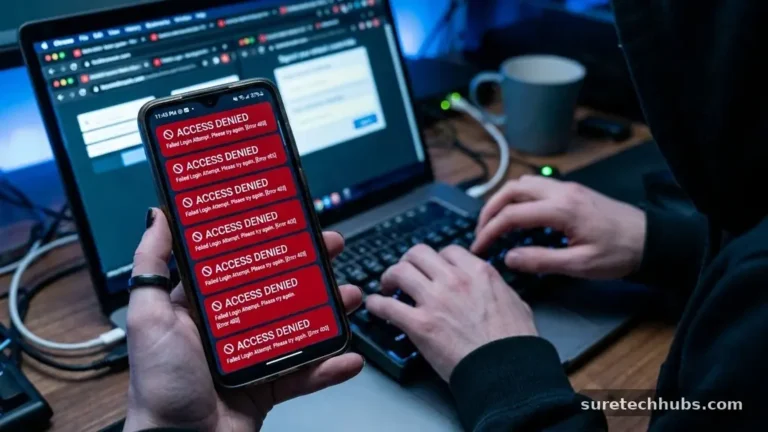
Public internet access is notoriously insecure, making it a primary target for cybercriminals. Whether you are in an airport, a hotel, or a coffee shop, you should treat the local network as inherently untrusted. Hackers often position themselves on these networks to intercept unencrypted traffic, known as a man-in-the-middle attack.
When you connect to a public hotspot, you are essentially sharing a digital space with strangers who might have malicious intent. If you log into your email, bank, or private cloud storage without protection, you are broadcasting your credentials to anyone listening on that network. Using a secure connection ensures that even if someone manages to monitor the network, they see only encrypted noise.
Beyond just security, using a VPN on public networks prevents the network provider itself from tracking your browsing habits. Many free public hotspots collect user data to sell to advertisers or track your movement across the web. By routing your traffic through an external server, you strip away the ability of the local network administrator to log your activity.
Protecting Your Privacy from Internet Providers
Your internet service provider (ISP) sees every website you visit, how long you stay there, and sometimes even the specific files you download. In many jurisdictions, these companies are legally permitted to collect this browsing history and sell it to third-party advertisers. This creates a permanent, searchable record of your digital life tied directly to your home address.
A VPN effectively blinds your ISP to your specific browsing behavior. Because your traffic is encrypted, the provider can see that you are connected to a server, but they cannot see the content of that traffic or the specific pages you are visiting. They lose their ability to profile your interests or throttle your connection based on the type of content you consume.
This level of privacy is increasingly important as companies aggregate data from various sources to build detailed consumer profiles. When you hide your traffic, you regain a degree of control over your digital identity. It is a proactive step that moves you from being a data product to a private user of the internet.
Accessing Content Across Geographic Borders
One of the most common reasons people search for a VPN and when should you use one is the desire to access content that is restricted by location. Streaming services, news outlets, and government websites often limit access based on the visitor’s IP address. By connecting to a server in a different country, you can make it appear as though you are browsing from that region.
This is particularly useful for travelers who want to access their home-country streaming libraries while abroad. It also serves as a vital tool for those living under restrictive regimes where access to global news or social media platforms is blocked. A secure connection allows you to bypass these digital borders, ensuring you maintain access to the information you need.
However, it is important to note that many services actively attempt to block these connections. While many users successfully use them to view content, the effectiveness can vary depending on the provider and the specific website. Always check the terms of service for the platforms you use, as some may prohibit the use of masking tools.
Comparing Privacy Tools for Daily Use
Choosing the right tool depends on your specific needs, whether that is high-speed streaming or maximum anonymity. The market is filled with various providers, each offering different features and price points. The following table highlights common differences between various types of privacy tools.
| Feature | Standard VPN | Proxy Server | Tor Browser |
|---|---|---|---|
| Encryption | High (End-to-End) | None | High (Multi-layered) |
| Speed | Fast/Moderate | Fast | Slow |
| IP Masking | Yes | Yes | Yes |
| Usage | System-wide | Browser-only | Browser-only |
Each of these options serves a different purpose. For general users looking to secure their data across all applications, a full VPN is usually the most effective choice. Proxies are better suited for simple tasks like bypassing a regional filter, while Tor is intended for users who require extreme, multi-layered anonymity at the cost of speed.
Common Myths About Online Security
There is a pervasive myth that if you have nothing to hide, you do not need to worry about online privacy. This ignores the fact that your data is valuable to corporations, brokers, and potentially malicious actors who do not care about your personal life. Protecting your privacy is about maintaining autonomy over your digital presence, not just hiding illicit activities.
Another misconception is that using a private browsing mode in your web browser provides the same protection as a VPN. Incognito or private modes only prevent your browser from saving your history locally on your computer. They do nothing to stop your ISP, websites, or network administrators from seeing your activity in real-time.
Finally, some believe that paid services are unnecessary because free options exist. While free services are tempting, they often generate revenue by logging and selling your data, which defeats the purpose of using them. Always prioritize a reputable service that maintains a strict no-logs policy, which you can verify through independent audits.
Key Considerations for Selecting a Provider
When you decide to start using a secure connection, the choice of provider is paramount. You are essentially shifting your trust from your ISP to the VPN company. Because they have the technical capability to see your traffic, you must ensure they have a verified reputation for privacy.
Look for companies that have undergone independent security audits. These audits confirm that the provider actually adheres to their stated privacy policies and that their infrastructure is configured correctly. You should also consider the jurisdiction in which the company is based, as some countries have laws that are more favorable to user privacy than others.
Consider these factors when evaluating potential services:
- Verification of a strict no-logs policy through a third-party audit.
- Presence of a “kill switch” that disconnects your internet if the VPN drops.
- A wide range of server locations to ensure better speed and regional access.
- Compatibility with your specific devices, such as mobile phones and routers.
- Transparent ownership and clear communication regarding data handling.
Frequently Asked Questions
Is there a downside to using a VPN?
The primary downside is a potential reduction in internet speed, as your data must travel through an extra server before reaching its destination. Additionally, some websites may flag or block your access because they detect that you are using a masking tool.
Do I need antivirus software if I have a VPN?
Yes, you still need antivirus software. A VPN protects your data while it is in transit, but it cannot prevent you from downloading malware, clicking on phishing links, or visiting dangerous websites. They serve different security functions and work best when used together.
Does the average person really need a VPN?
For anyone who frequently uses public Wi-Fi or wants to minimize the amount of data their ISP collects, it is highly recommended. While you can get by without one, it is a simple and effective way to elevate your baseline level of digital hygiene.
How do I know if my VPN is actually working?
You can verify your connection by visiting a site like DNS Leak Test, which shows the IP address and location the internet sees for you. If the information displayed does not match your actual location, your service is correctly routing your traffic.
Final Thoughts on Digital Protection
Deciding when to use a virtual private network comes down to assessing your risk tolerance and your desire for privacy. By moving your traffic through an encrypted tunnel, you effectively reclaim your right to browse the internet without being tracked by your service provider or monitored on public networks. It is a simple, effective tool that provides peace of mind in an increasingly connected world.
If you are concerned about your digital footprint, starting with a reputable provider is a straightforward step. Take the time to evaluate your needs, choose a service with a proven track record, and integrate it into your daily habits.
As you become more familiar with these tools, you will find that securing your connection becomes an effortless part of your routine. We encourage you to take control of your online presence today and explore how these services can improve your personal data security.